Archive for technology

I’m Gettin’ Paid for Web Surfing at this Very Moment

Posted in internet, technology with tags , , on April 25, 2006 by Paxton


According to this article, a judge has told the New York City Council that they can’t fire someone simply for browsing the internet during the workday. The worker, Toquir Choudhri, had served the Department of Education for 14 years. The City Council tried to fire him when they discovered him looking at travel and news sites online. Nice loyalty, huh?

I absolutely agree with the judge’s ruling. The internet has become such a part of our lives now, that it is synonymous with reading the paper or watching CNN. Now, I’m not advocating going out and looking at porn sites or even trolling message forums and chat rooms. I’m just talking about general news searches and information gathering. Most of the time, for myself, when I browse the net, I am looking at news/info sites or I’m on Google looking at tech sites for an answer to a problem. I’ll also check and answer email, but, if you ask me, this has become such a common communication tool for so many people, it’s become analogous to talking on the phone. Instead of calling someone up and seeing how things are going, I’ll email them. The same is true for most people.

If you don’t want people using the internet, then block it with firewalls. I’ve been to several client sites that blocked certain domains from being accessed. Many of my clients blocked popular job searching sites Monster and CareerBuiler.com. Many others blocked sites suspected of inappropriate subject matter. It all depends. I think, though, that internet use has become so benign and widespread, that in downtime at work, when nothing is going on, you should be able to check a few websites as if you were thumbing through the morning’s paper.

Technorati Tags –

My Favorite Firefox Extensions

Posted in Firefox, internet, reviews, technology with tags , , on April 3, 2006 by Paxton

I haven’t had a tech article up for a little bit so I thought I’d write a companion piece to my Mozilla Firefox review. This time, I’ll look at the many extensions you can download to complement your browsing experience with Firefox. I’ll go through a list of some of my favorite extensions and tell you why I use them. Hope this helps someone.

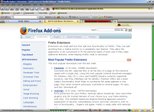
When you download Firefox for the first time, it’s pretty bare. It gives you some basic browsing functions, but to fully appreciate Firefox, you have to download extensions to completely customize your browsing experience. The image above is a pic of my Firefox browser. It will look very different from the default Firefox browser you download. I have over a dozen extensions and a customized browser theme. There are a lot of useful and cool extensions out there, so lets take a look at a few of my favorites. You can pretty much get any one of the extensions I’m talking about here at the link I provided earlier. Extentions are listed by categories, but you can also search by name.

Adblock – This is one of the first extensions you should download. This will block any popups or webpage ads on any website. This does, sometimes, cause issues with free webmail accounts like Gmail. I usually include Gmail to the Adblock whitelist, which allows ads. This will keep you from having issues seeing some images in your emails. A companion to this extension is Adblock Filterset.G Updater. This extension helps to automatically update the Adblock extension’s ability to recognize web ads.

Fasterfox – This is another one at the top of my list of extensions. This extensions tweaks the network settings for Firefox to allow it to run faster. It pushes a lot of the browser’s workload to the webservers and decidedly increases your browsing speed.

Google Toolbar for Firefox – I love Google. I search it at least once a day. More often than not the images in my blog are from Google Images. Needless to say, I have to have this extension. It’s the Google Toolbar, complete with AutoFill utility, ability to search webpages or images right from the toolbar and a cool feature called Autolink to help search map sites and the dictionary. Too much awesome for me to get across in one blog article. There are two extensions that are unofficial companion extensions to the Google Toolbar. The first, CustomizeGoogle and Aggregate Yahoo! & Google. CustomizeGoogle completely customizes how Google works for you. You can eliminate ads and force Gmail to use a secure connection. You can also tell Google how to behave based on your searching criteria. Very nice. Aggregate Yahoo! & Google will put Yahoo! Search results in the result lists of your Google Searches. This essentially gives you two search engine results with one query. Every other entry will be a Yahoo! entry and it’s highlighted blue. Very cool.

Tab Mix Plus – One of the coolest default features of Firefox is tabbed browsing (coming soon to Microsoft Internet Explorer). This extension gives you total control of how tabbed browsing works. There are several extensions pertaining to tabbed browsing (nay, even an entire extension category) but this extension pretty much includes all those other extensions into this one. It’s super customizable and I love it.

Download Manager Tweak – Based on how much stuff you download from the internet, you may want this extension. It gives greater functionality to Firefox’s anemic download feature set. Believe me, you want this.

MediaPlayer Connectivity – Allows you to tell Firefox what applications are associated with what files. Play windows media files in Windows Media Player, play real audio files in Real Audio Player, etc., etc.

The extensions you see above, are pretty much the must haves for me. When a new install of Firefox goes down, these are first on my list. Now I’ll look at some of the nice-to-haves, ones that I really enjoy, but don’t really HAVE to have.

AI Roboform for Firefox – This extension exists for another application. I currently use Roboform’s Pass2Go utility on my USB drive. It stores and encrypts all my online passwords and allows me to quickly logon to my favorite password sites. To check it out, go to Roboform.com. Pass2Go does not natively work with Firefox, so this extension/adapter is needed to make it work.

Colorful Tabs – This extension is nice for when you have several browser tabs open at once. It will make each tab a different color so you can easily distinguish between them.

Flat Bookmark Editing – This is a nice extension to help edit/organize your bookmarks. One of Firefox’s exceptionally cool features is the ability to read RSS. Websites now use RSS as a means of dynamically updating users of their content changes. Firefox can take an RSS feed and store it as a “Live Bookmark”. You navigate to it like a normal bookmark, but it shows up as a list of subject titles. Very cool feature, and this extension helps to manage this.

Restart Firefox – When new extensions are installed or when an extension is updated, you usually have to restart the browser. This gets tedious after a while. This extension gives you the ability to shutdown and restart the browser with one click. Very simple, very nice.

Forcastfox Enhanced – Very cool extension to give you updated weather reports for your local area. It shows up as a small alert on your status bar. You can mouse over it to get more information. Very cool.

I have more extensions, but these are the best. This list is just the tip of the proverbial iceberg, there’s a world of wonderful little extensions out there for your Firefox browser and I hope you explore it well.

Technorati Tags –

RIM BlackBerry settles lawsuit; Patent Trolling?

Posted in BlackBerry, patent trolling, technology with tags , on March 14, 2006 by Paxton


For the last year and a half, Research in Motion (RIM) has been in a bitter dispute with patent holding company NTP over software patents used by the popular Blackberry wireless email/PDA service. NTP claimed that RIM was illegally infringing on their software patent with their Blackberry service. The problem occured in software protocols and code within the service itself. The lawsuit came to the point where the entire service was going to be shut down and subscribers would have to regroup and move on to a new service. This month, though, RIM settled it’s lawsuit with NTP. This news made millions of subscribers happy that they don’t have to spend thousands of dollars switching to new providers.

While this is good for Blackberry subscribers (of which I am not one), I wonder what this means for future technology. The practice NTP used above is called patent trolling. Holding companies will buy up obscure patents and search for any technology that is infringing, however slightly, on it’s patent. This can be bad in several ways. A lot of these lawsuits are not by the original patent owner, they are by a holding company that had nothing whatsoever to do with the original patent, and, by and large, probably don’t even understand their patent. It’s really just a financial game for the holding company. They may not even win their case, but all they need to do is find that one product with the large company…….then jackpot.

For me, this can only stifle the advances a company will make in technology. If companies are afraid to research and create breakthroughs because they are worried about infringing on some obscure patent, then that’s not good for anybody. Something needs to be done about these holding companies doing nothing but trying to earn a quick buck on innovations they neither created nor had anything to do with.

On the other side, I think there needs to be some reform in the Patent Office. Many of the patents given today are for simple, obvious programming, not so much innovations. Amazon patented it’s ‘One-Click Ordering’ system which seems, to me, more like short cut programming as opposed to an innovation. Maybe I’m wrong. I also think the rules for software patents need to be written more clearly and maybe the Patent Office needs to mine through it’s patent catalogs and do some re-thinking, maybe hire more patent officers and train them better. Stop a lot of the frivolous patents that are getting through the system.

Either way, reform probably needs to happen (both consumer and gov’t side) because in the corporate battle of patents, I think the purpose of the Patent Office, protecting the little guy who actually created the innovation, is becoming forgotten.

Technorati Tags –

Mozilla Firefox Review

Posted in Firefox, internet, reviews, technology with tags , , on March 10, 2006 by Paxton


Being a fan of technology, I am also a fan of cool little pc desktop apps. Every once in a while I’ll highlight a particular favorite of mine. Today I’ll be discussing the Mozilla Firefox web browser.
Some of you may have heard of this, some of you not. It is an alternative to Microsoft’s Internet Explorer (IE). Microsoft, until recently, had stopped development on IE. It just sits there, stagnating on your desktop like a boil. Bugs that have been around forever are still there, not to mention that fact that spyware, malware and viruses are written mostly against IE because the most people use it. Back in 2001, I got sick of using IE and switched to a browser called Opera. This browser had a much faster rendering engine and incorporated tabbed browsing, the first I’d ever seen this feature. I never used IE again. Opera has since been replaced by Firefox.

Firefox is a nice alternative because it is highly customizable for every user. If you don’t want certain features, you don’t have to have them. When you download Firefox, the browser is a bare bones application that does the basic browser features. One of the basic features of Firefox that IE doesn’t do, just yet, is tabbed browsing. If you have multiple websites open, they are all kept within one browser window and tabs at the top let you quickly switch between your open pages. It’s a very nice feature that you immediately wonder how you lived without. If you want more advanced features you download what are called “extensions”. I’ll delve into extensions more deeply another time, but they include things like email checkers, weather forcasts, ad blocking, search bars, etc. You name it, someone has made an extension for it. You can also download themes which change the “look and feel” of Firefox to something more appealing to you. I currently use the Metal Lion theme which addes a brushed metal look to the entire browser. I love it.

If you would like to tryout Firefox, go to the Mozilla web site here. They just released Firefox 1.5.0.1 and should be releasing version 2 at the end of spring. Hope some of you discover the joys of alternate browsers with me.

Update 1/31/2007 – Version 2 has been released. Click on the Take Back the Web – Firefox button in the bottom right Links section of my sidebar to get the newest version.

If you want to check it out, Opera still has a browser, which is now free. Check it out here. They are up to version 8.5.

Technorati Tags –

Man Sued for Deleting Files Off Company Laptop

Posted in computers, technology with tags on March 10, 2006 by Paxton

This article concerns me greatly.

Apparently a man decides to leave his company. He deletes personal files off his company laptop. He knows, like everyone should (right?), that deleting files in most operating systems does not actually delete the file. It only removes the pointer to that file. So he uses a professional file scrubber to permanently delete the files making them impossible to recover.

I guess he must have left the company on bad terms (the company alleges he went into business for himself in the same industry which is a violation of employment contracts) because the company searches his laptop for incriminating files proving he was violating his employment agreement. When they discover that he used a file scrubber, they sue him for damaging a company owned laptop. What concerns me is several courts upheld the fact that deleting data off a hard drive constitutes “damaging” a computer. The company also said that the moment he decided to leave the company he no longer had implicit authority to delete data off the laptop. While I might agree with the latter, I have a serious problem with the former.

I worked as an IS consultant for over 8 years. I had a company laptop the entire time. I was careful not to put anything on it that would get me in trouble later, but I do not agree with the fact that deleting data on the hard drive constitutes damage to that computer. He turned the laptop into the company in the same condition that he received it, there should be no case against him. That is ridiculous. Hell hath no fury like a company scorned, I guess……………….

Technorati Tags –