Archive for the technology Category

Corona Kool-Aid…Ole!

Posted in humor, Kool Aid, Photoshop, pop culture with tags , , on May 11, 2006 by Paxton

The newest flavor…and most fun. Next to Vanilla Ice, this is my favorite creation. How cool would it be to sit down with a bowl of chips and salsa and down glass or two (or pitcher) of this sweet nectar of the gods? Mucho cool, mi amigo.

As far as Mexican beer goes, I prefer Corona Light or Pacifico, but you get the idea. Kool-Aid ain’t just for snotty noses any more. Arriba!!

Check out all my other creative, and completely made up, Kool-Aid creations here.

Technorati Tags –


TV Technology to Prevent Skipping Commercials? Yes.

Posted in technology, TV with tags , on May 4, 2006 by Paxton

”TV

I was checking some tech/entertainment news this morning and this article caused me to do a spit take all over myself and my computer. After wiping up Full Throttle energy drink from my pants and in my cubicle, and then apologizing to the people around me, I got back to reading the article.  Apparently, Royal Phillips Company, also known as Phillips and one of the world’s leading electronics companies, has developed, and is trying to patent, a technology that would freeze the TV channel when commercials are airing.  This technology would reside either on the TV itself or in a set-top cable box and would force TV viewers to watch commercials.

Being a TiVo owner, I have come to loathe commercials like poison.  It’s so nice to be able to flip the fast forward button twice and get right back to the show.  After having done this for so long, the idea of being forced to watch commercials causes my banana and breakfast bar to make a return visit to my esophagus.  Every once in a while, my wife and I will watch a show live and have to sit through commercials.  It’s like water torture.  Not only are most commercials extremely irritating with fast-cut MTV editing, they are broadcast at least one and a half times louder than the show you are watching.  I do admit that there are some commercials I enjoy watching.  The Geico commercials are funny with the gecko and his limey accent.  I also enjoy the Burger King big-buckin’ chicken commercial.  Bud Light will always come up with some genius spots also (to check out the latest funny Bud Light commercials go here).

This technology, however maddening or close to patent it is, could never survive real life testing.  Consumer corporations like Sony and JVC may buy it and put it in their TVs, Motorola and Texas Instruments may buy it and put it in their cable boxes.  This is a technology you know the networks and ad executives can get behind.  And all of this can be implemented inside your hardware and not turned on.  As a matter of fact, this technology could be bundled with a larger service pack and the cable companies told they need it on their boxes to be able to capture the satellite signals.  It will then sit there until one of the companies gets the testicular fortitude to turn it on for a test audience.  The minute Joe Six-Pack can’t change the channel during commercials, he’ll flood the cable company with calls thinking his box is broken or malfunctioning.  The cable company may or may not know what is going on.  The technology will then be turned off and labeled a glitch in the system.  That’s how, in all likely-hood it should play out.

At least I hope so, because if I’m forced to watch commercials, the next logical step is staking out a small place of business and taking a hostage.  You can see me on the news, while being forced to watch the commercials.

Technorati Tags –

I’m Gettin’ Paid for Web Surfing at this Very Moment

Posted in internet, technology with tags , , on April 25, 2006 by Paxton


According to this article, a judge has told the New York City Council that they can’t fire someone simply for browsing the internet during the workday. The worker, Toquir Choudhri, had served the Department of Education for 14 years. The City Council tried to fire him when they discovered him looking at travel and news sites online. Nice loyalty, huh?

I absolutely agree with the judge’s ruling. The internet has become such a part of our lives now, that it is synonymous with reading the paper or watching CNN. Now, I’m not advocating going out and looking at porn sites or even trolling message forums and chat rooms. I’m just talking about general news searches and information gathering. Most of the time, for myself, when I browse the net, I am looking at news/info sites or I’m on Google looking at tech sites for an answer to a problem. I’ll also check and answer email, but, if you ask me, this has become such a common communication tool for so many people, it’s become analogous to talking on the phone. Instead of calling someone up and seeing how things are going, I’ll email them. The same is true for most people.

If you don’t want people using the internet, then block it with firewalls. I’ve been to several client sites that blocked certain domains from being accessed. Many of my clients blocked popular job searching sites Monster and CareerBuiler.com. Many others blocked sites suspected of inappropriate subject matter. It all depends. I think, though, that internet use has become so benign and widespread, that in downtime at work, when nothing is going on, you should be able to check a few websites as if you were thumbing through the morning’s paper.

Technorati Tags –

Ice Cream Cones flavored Kool-Aid!!

Posted in ice cream, Kool Aid, Photoshop, pop culture with tags , , on April 10, 2006 by Paxton

That’s right, my friends. Another creation from the PaxNet labs. Kool-Aid flavored like Ice Cream Cones cereal.

Don’t ever say that I can’t bring it.

Check out all my other creative, and completely made up, Kool-Aid creations here.

Technorati Tags –

My Favorite Firefox Extensions

Posted in Firefox, internet, reviews, technology with tags , , on April 3, 2006 by Paxton

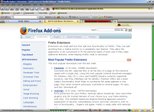
I haven’t had a tech article up for a little bit so I thought I’d write a companion piece to my Mozilla Firefox review. This time, I’ll look at the many extensions you can download to complement your browsing experience with Firefox. I’ll go through a list of some of my favorite extensions and tell you why I use them. Hope this helps someone.

When you download Firefox for the first time, it’s pretty bare. It gives you some basic browsing functions, but to fully appreciate Firefox, you have to download extensions to completely customize your browsing experience. The image above is a pic of my Firefox browser. It will look very different from the default Firefox browser you download. I have over a dozen extensions and a customized browser theme. There are a lot of useful and cool extensions out there, so lets take a look at a few of my favorites. You can pretty much get any one of the extensions I’m talking about here at the link I provided earlier. Extentions are listed by categories, but you can also search by name.

Adblock – This is one of the first extensions you should download. This will block any popups or webpage ads on any website. This does, sometimes, cause issues with free webmail accounts like Gmail. I usually include Gmail to the Adblock whitelist, which allows ads. This will keep you from having issues seeing some images in your emails. A companion to this extension is Adblock Filterset.G Updater. This extension helps to automatically update the Adblock extension’s ability to recognize web ads.

Fasterfox – This is another one at the top of my list of extensions. This extensions tweaks the network settings for Firefox to allow it to run faster. It pushes a lot of the browser’s workload to the webservers and decidedly increases your browsing speed.

Google Toolbar for Firefox – I love Google. I search it at least once a day. More often than not the images in my blog are from Google Images. Needless to say, I have to have this extension. It’s the Google Toolbar, complete with AutoFill utility, ability to search webpages or images right from the toolbar and a cool feature called Autolink to help search map sites and the dictionary. Too much awesome for me to get across in one blog article. There are two extensions that are unofficial companion extensions to the Google Toolbar. The first, CustomizeGoogle and Aggregate Yahoo! & Google. CustomizeGoogle completely customizes how Google works for you. You can eliminate ads and force Gmail to use a secure connection. You can also tell Google how to behave based on your searching criteria. Very nice. Aggregate Yahoo! & Google will put Yahoo! Search results in the result lists of your Google Searches. This essentially gives you two search engine results with one query. Every other entry will be a Yahoo! entry and it’s highlighted blue. Very cool.

Tab Mix Plus – One of the coolest default features of Firefox is tabbed browsing (coming soon to Microsoft Internet Explorer). This extension gives you total control of how tabbed browsing works. There are several extensions pertaining to tabbed browsing (nay, even an entire extension category) but this extension pretty much includes all those other extensions into this one. It’s super customizable and I love it.

Download Manager Tweak – Based on how much stuff you download from the internet, you may want this extension. It gives greater functionality to Firefox’s anemic download feature set. Believe me, you want this.

MediaPlayer Connectivity – Allows you to tell Firefox what applications are associated with what files. Play windows media files in Windows Media Player, play real audio files in Real Audio Player, etc., etc.

The extensions you see above, are pretty much the must haves for me. When a new install of Firefox goes down, these are first on my list. Now I’ll look at some of the nice-to-haves, ones that I really enjoy, but don’t really HAVE to have.

AI Roboform for Firefox – This extension exists for another application. I currently use Roboform’s Pass2Go utility on my USB drive. It stores and encrypts all my online passwords and allows me to quickly logon to my favorite password sites. To check it out, go to Roboform.com. Pass2Go does not natively work with Firefox, so this extension/adapter is needed to make it work.

Colorful Tabs – This extension is nice for when you have several browser tabs open at once. It will make each tab a different color so you can easily distinguish between them.

Flat Bookmark Editing – This is a nice extension to help edit/organize your bookmarks. One of Firefox’s exceptionally cool features is the ability to read RSS. Websites now use RSS as a means of dynamically updating users of their content changes. Firefox can take an RSS feed and store it as a “Live Bookmark”. You navigate to it like a normal bookmark, but it shows up as a list of subject titles. Very cool feature, and this extension helps to manage this.

Restart Firefox – When new extensions are installed or when an extension is updated, you usually have to restart the browser. This gets tedious after a while. This extension gives you the ability to shutdown and restart the browser with one click. Very simple, very nice.

Forcastfox Enhanced – Very cool extension to give you updated weather reports for your local area. It shows up as a small alert on your status bar. You can mouse over it to get more information. Very cool.

I have more extensions, but these are the best. This list is just the tip of the proverbial iceberg, there’s a world of wonderful little extensions out there for your Firefox browser and I hope you explore it well.

Technorati Tags –